v0.3.8 is available

EVERYDAY PDF TOOLS FOR WINDOWS

Make more of
your PDFs.

Organize pages. Add notes. Redact sensitive details.
Your everyday PDF tools, together in one free app.

  • Free to use
  • No account needed
  • No ads
Windows 10 / 11 (64-bit)About 268 MB

Direct installer: v0.3.8. Check Microsoft Store for the version offered there.

PDF MARIN for WindowsAN ENGLISH SAMPLE DOCUMENT
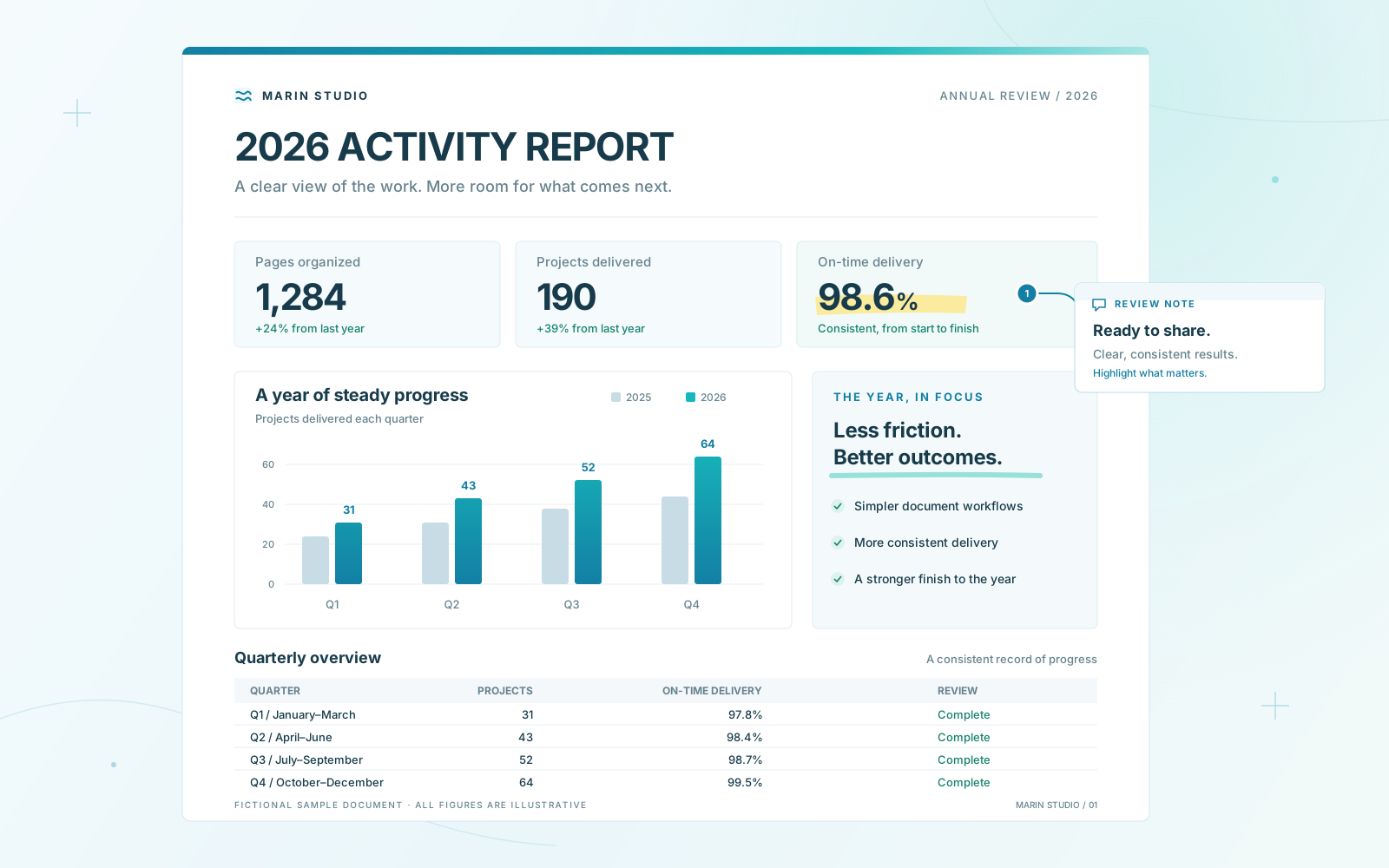
An illustrated English activity report with charts, a highlighted figure and a review note. Fictional sample, not an app screenshot.
English sample · IllustrationWindows app · Japanese interface
Basic editing works offline.
Basic PDF editing processes files on your PC.

01 / EVERYDAY PDF WORK

Everyday PDF work,
in one place.

From the file you receive to the document you share.
Keep the tools you use most close at hand.

01

Organize pages

Keep the pages you need, in the right order.

  • Merge, split, and reorder
  • Rotate and delete pages
02

Annotate and edit

Put your notes right on the page.

  • Add text, images, and stamps
  • Highlights, comments, and shapes
04

Compress and straighten

Make documents easier to share and read.

  • Compress PDFs to reduce file size
  • Straighten scanned pages
Redact before sharingCompare and overlay documentsMeasure drawingsExport to Word and PowerPoint

Before you get started

English ↔ Japanese document translation

Experimental on-device translation works with text inside PDFs, including OCR text. Translation data must be downloaded before first use. Check the result against the original: recognition and translation can contain errors. This feature does not translate the app’s menus.

Offline editing and online features

Basic PDF editing processes documents on your PC. Downloads, update checks, and feedback use a network connection. See the published Japanese Terms of Use and Privacy Policy for details about connections and data handling in different builds.

Terms of Use (Japanese original) · Privacy Policy (Japanese original)

02 / FROM PDF TO EXCEL

From a PDF table
to an Excel workbook.

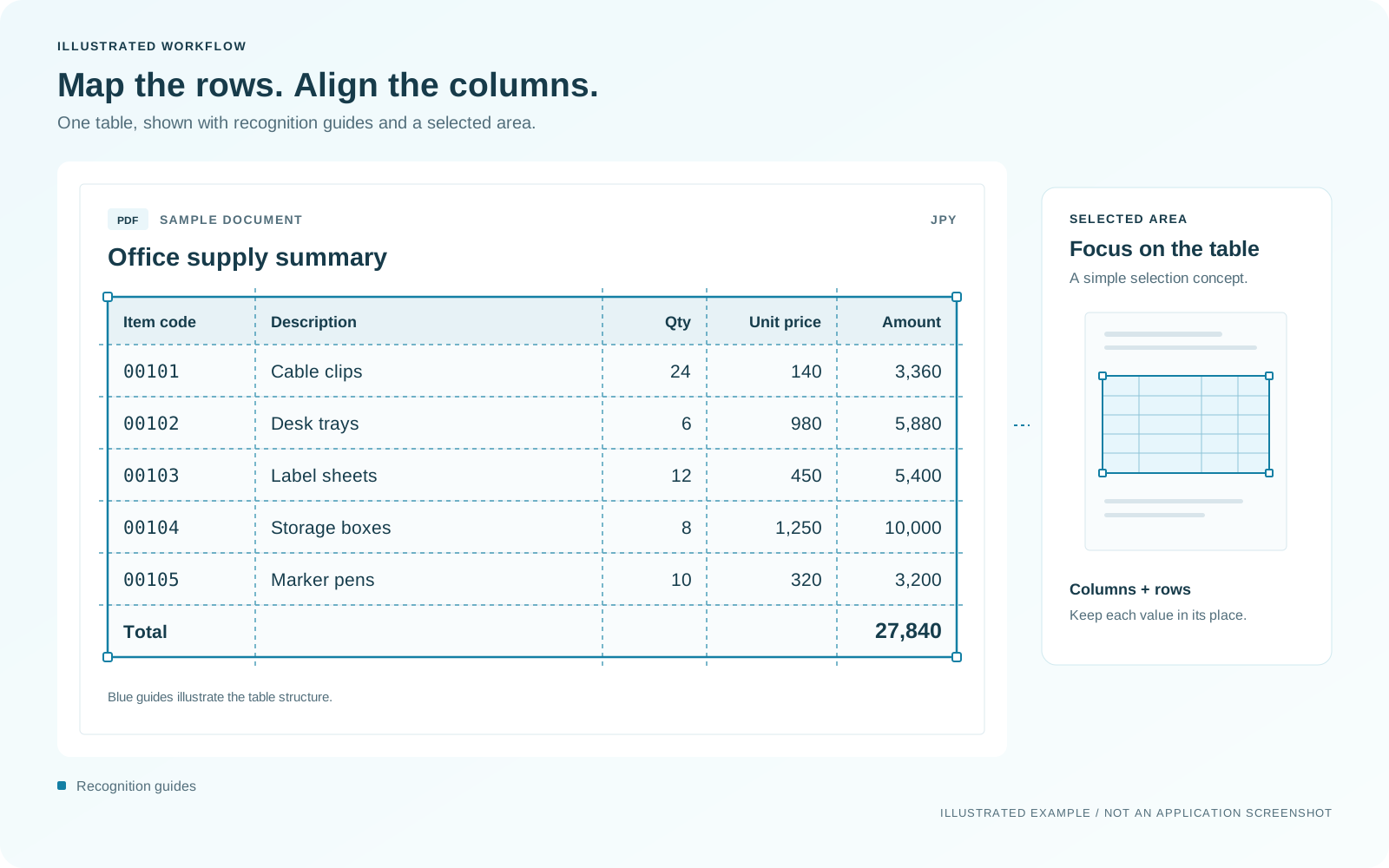
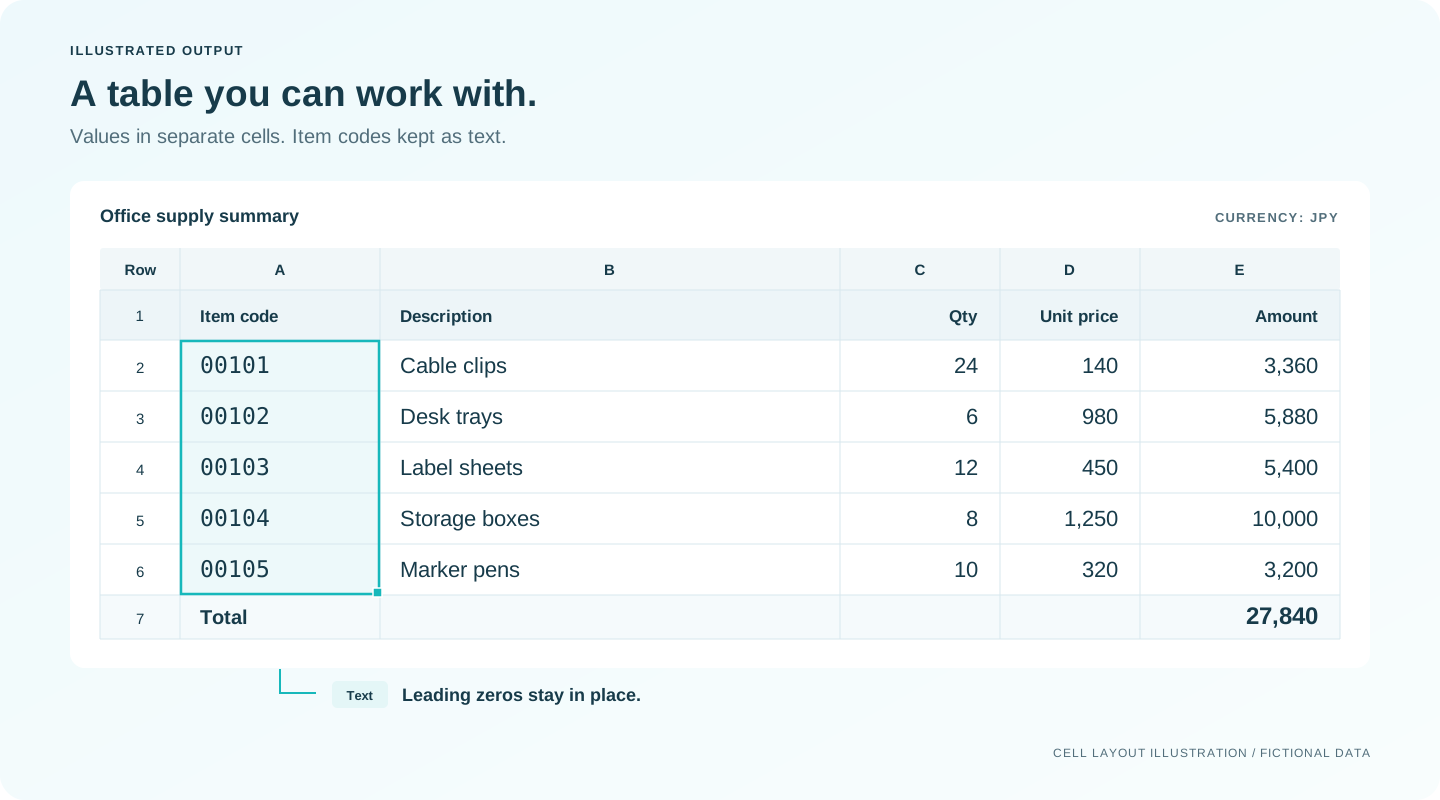
An illustrated workflow using one English sample table.
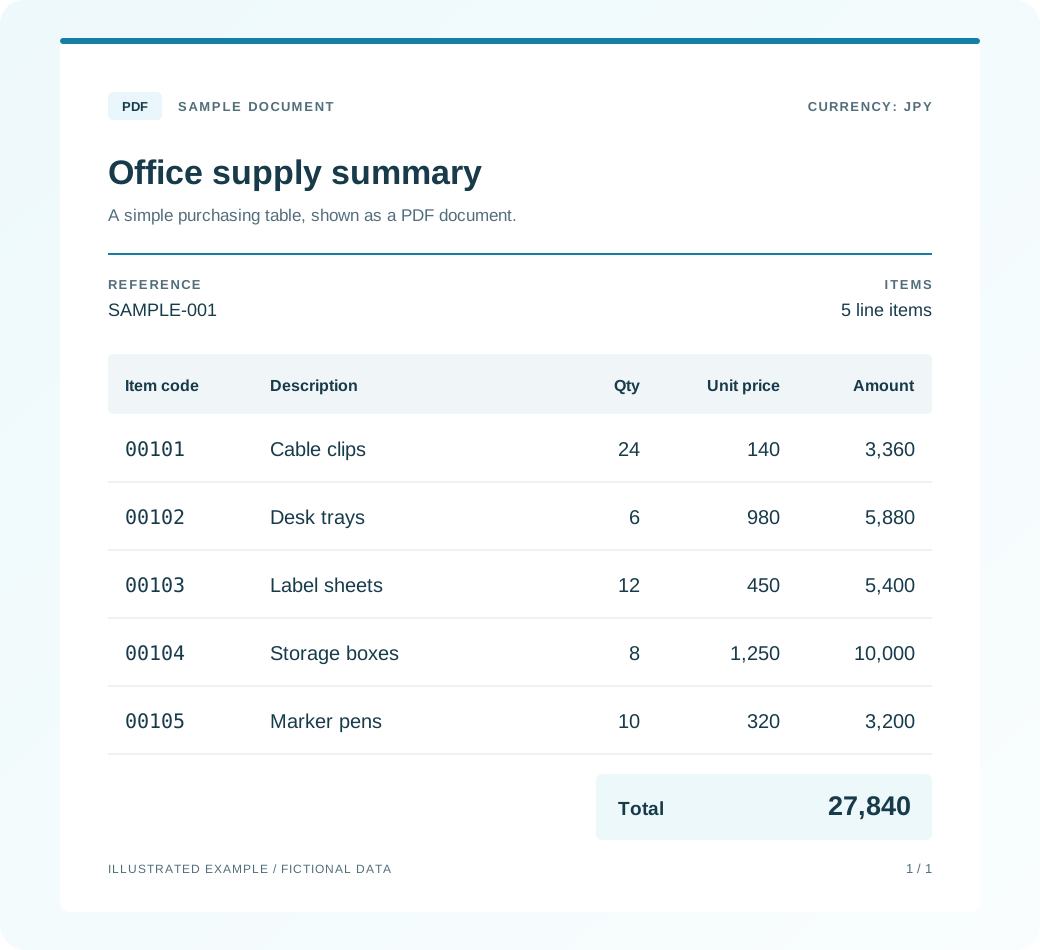
  1. 1Open a PDF
  2. 2Recognize the table
  3. 3Save to Excel
01 English sample PDF
An illustrated office supply table in English with five items and a total of JPY 27,840. Fictional sample data.
02 Recognize rows and columns
The same English table with blue row and column guides, illustrating table recognition. Not an application screenshot.
03 Values in separate cells
An illustrated cell layout with the same five items and total of JPY 27,840. Item codes retain leading zeros. Not an actual workbook export or Microsoft Excel screenshot.

IDEAS FROM YOU

Your ideas help
shape MARIN.

Vote for an idea or join the discussion.
Help guide future features and improvements.

+ Share an idea

Community ideas, comments, developer replies, and linked resources are shown in their original language, often Japanese. They are not automatically translated. English support replies are not guaranteed.

Ideas selected by the developer

Loading ideas…

04 / UPDATES

What’s new

Highlights from the latest public release.
Full release history (Japanese)

v0.3.8LatestBetter tool search, translation, OCR, and large-PDF compressionDetails

This release makes tools easier to find and improves translation, OCR, and compression for large PDFs.

  • Find tools using hiragana or alternative Japanese wording. Search ribbon and dropdown commands, with eight results at a time and an option to show more. You can also check why a command is unavailable.
  • Move and resize tool search, and keep it floating, alongside the document, or below the ribbon.
  • Improved translation that preserves the original layout, including pages with formulas or scans. Zoom the preview and choose where translated pages go: after each original, together at the end, or in place of the originals. Parts that could not be translated are flagged for review.
  • Simplified OCR controls and reduced processing waits. Improved cancellation and applying corrected recognition results again.
  • Improved large-PDF compression speed and memory use, fixed failures on some scanned PDFs, and aligned preview estimates with the settings actually used.
  • Added tools to trim margins consistently and center pages horizontally or vertically. Fixed faint outlines being mistaken for margins. Deskew now shows progress and can be canceled.
  • Made PDF scrollbars easier to grab, fixed sideways page shifts when opening or closing the tool strip, and improved adding vertices and editing the right-click menu.
  • Combine separate PDFs, such as covers and itemized pages, using codes or filenames. Improved checks before saving and retrying an interrupted save.
  • Improved print guidance, bookmarks, comments, Japanese text input, settings imports, and Word, Excel, and PowerPoint export. Fixed issues with switching documents during a task and protecting files when a save fails.

Terms version 2.20 adds limited diagnostic fields sent only when an update fails. File locations, filenames, and process names are not sent. The terms agreement screen appears again on the first launch after updating.

Direct installer: v0.3.8, about 268 MB. Check Microsoft Store for the version currently offered to you.

View this release on GitHub

READY WHEN YOU ARE

Try MARIN with your next PDF.

Free, with no account needed. For Windows PCs. The current release uses a Japanese interface. English support for the app is coming soon.

Microsoft Store (Japanese app)Download current Japanese versionDirect installer: v0.3.8 · Windows 10 / 11 (64-bit) · About 268 MB